
FAQ About EayLocalizer

How do I reset my password?
EayLocalizer allows users to reset their passwords both before and after logging in. Follow the steps below to reset your password.
For Mobile Users:
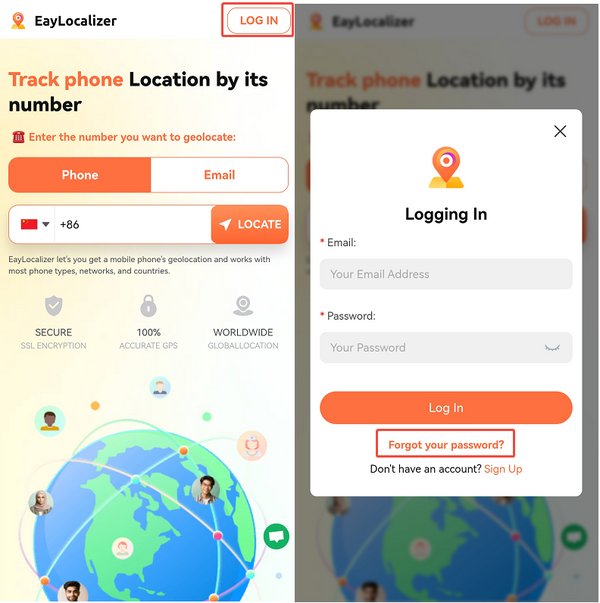
Pre-login:
1. Go to the login page.
2. Tap "Forgot Your Password?"
3. Enter your EayLocalizer user account to initiate the password reset.
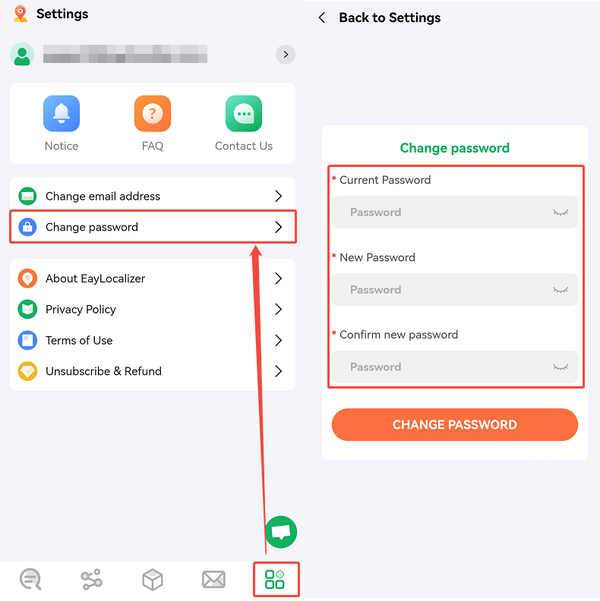
Post-login:
1. Tap the last icon at the bottom of the home page.
2. Select "Change Password" to update your password.
For PC Users:
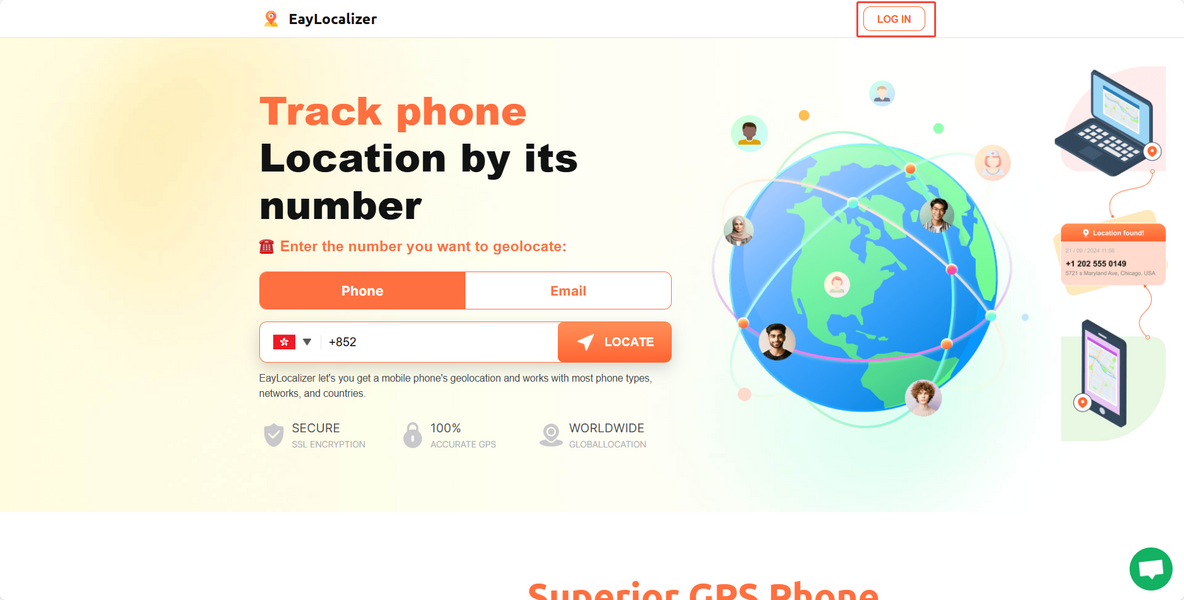
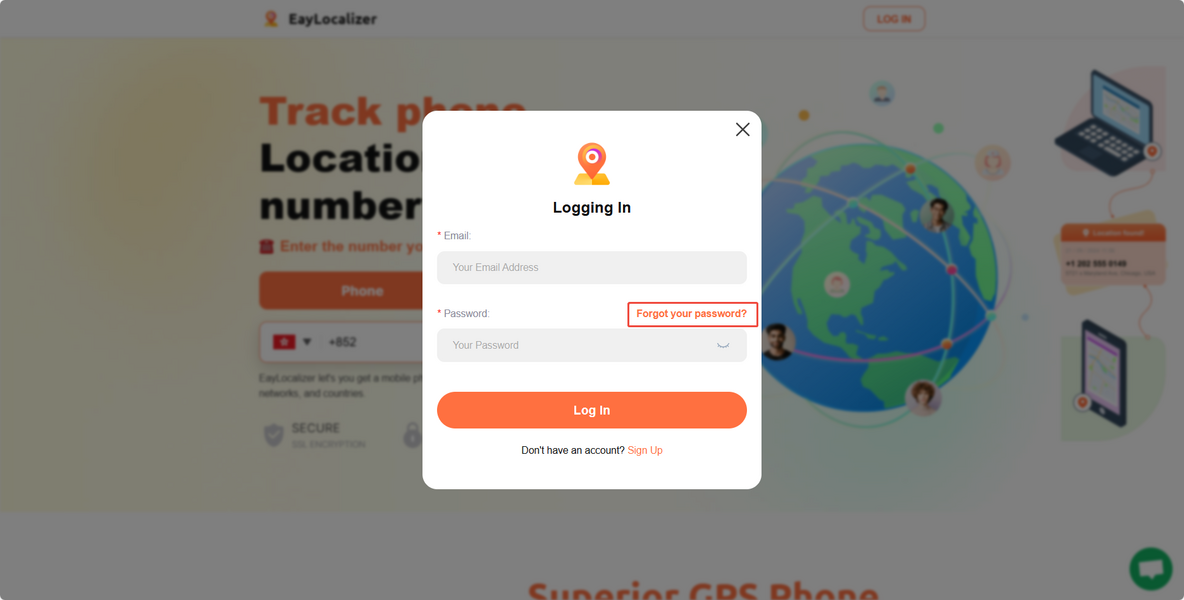
Pre-login:
1. Go to the login page.
2. Click "Forgot Your Password?"
3. Enter your EayLocalizer user account to initiate the password reset.
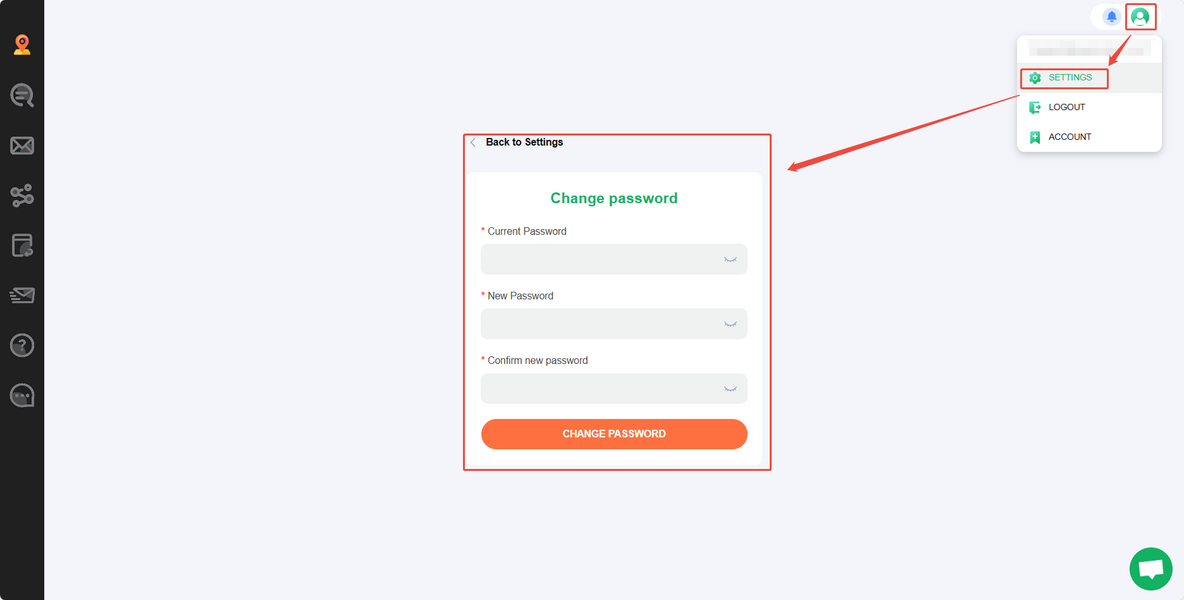
Post-login:
1. Click the avatar icon in the top right corner of the home page.
2. Select "Change Password" to update your password.
If you encounter issues resetting your password, please contact us at [email protected]. Include your account details and the desired new password, and our tech team will assist you.
