
FAQ About Goodlocas

How do I reset my password?
The Goodlocas allows users to reset passwords both before and after logging in.
Please follow the steps below to reset your password.
For users who access Goodlocas on a mobile device:
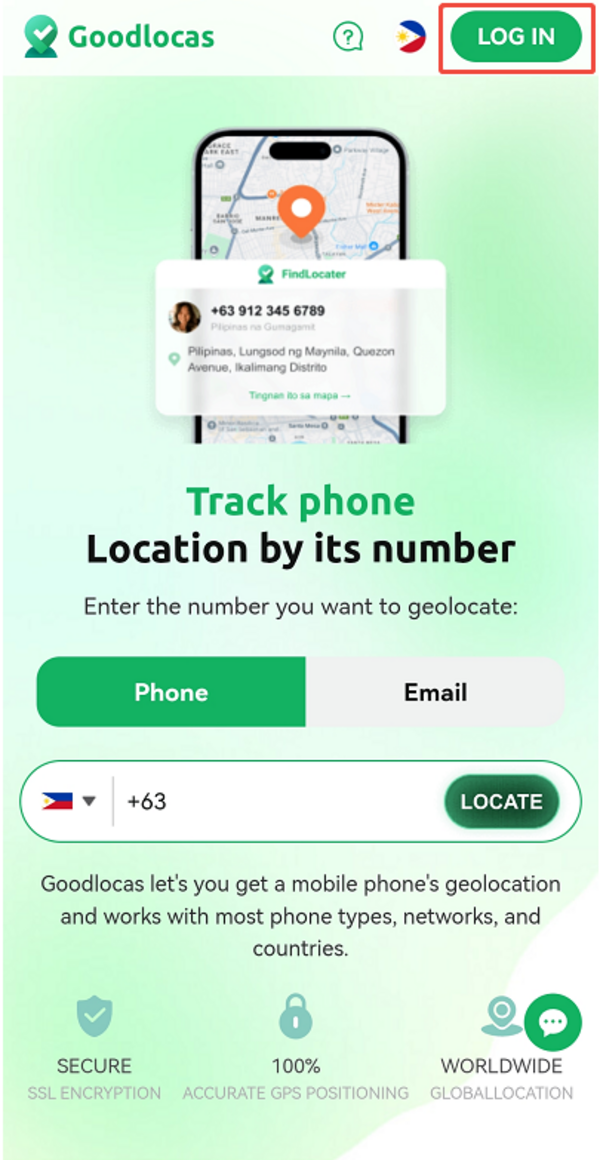
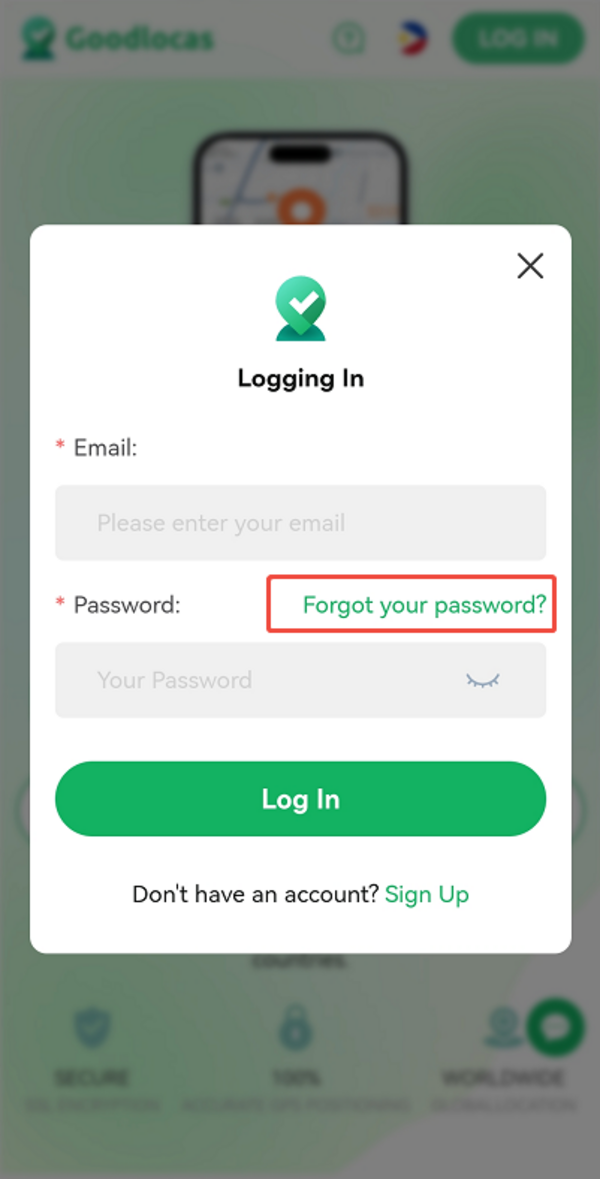
Pre-login:
Go to the login page- "Forgot your password" - Enter your user account on Goodlocas to reset the password
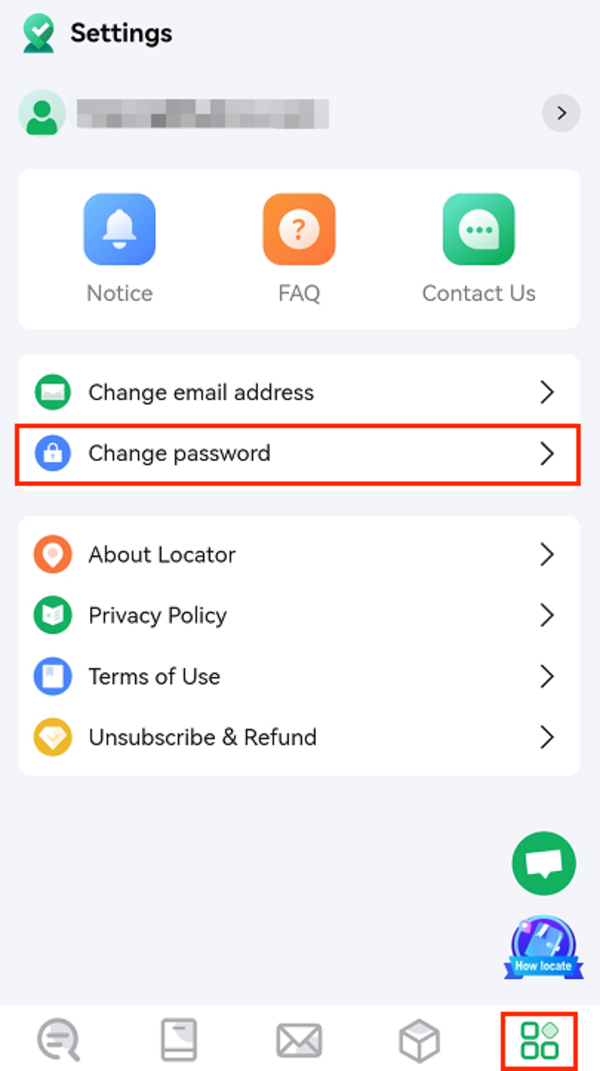
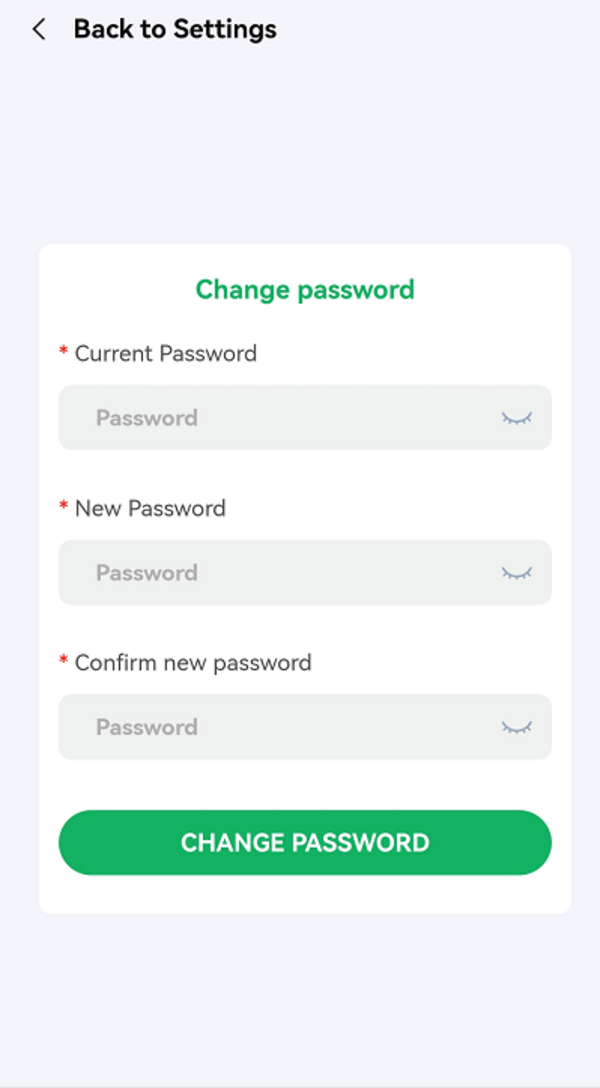
Post-login:
Click on the fifth icon to enter the Settings page - "Change password"
For users who access Goodlocas on PC:
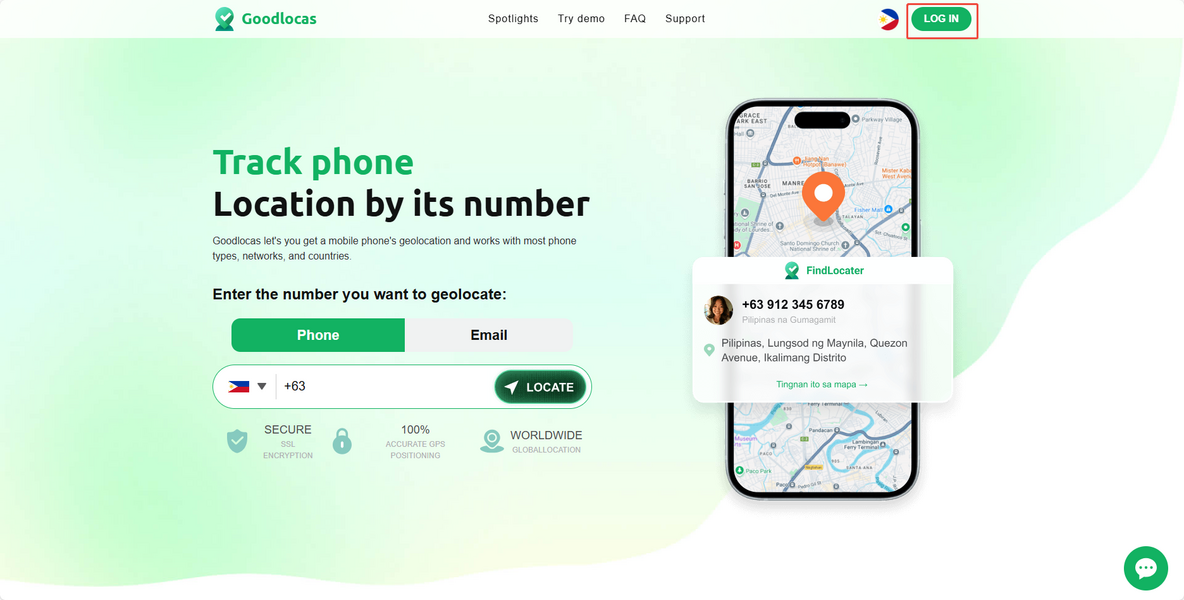
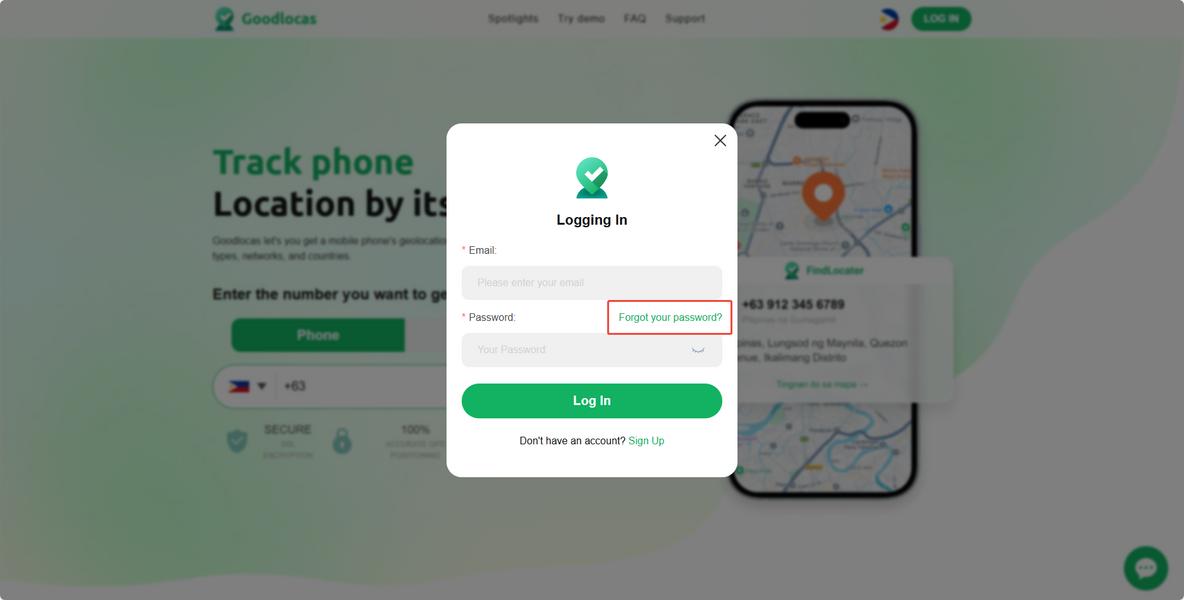
Pre-login:
Go to the login page- "Forgot your password" - Enter your user account on Goodlocas to reset the password
An email to reset the password will be sent to your user account.
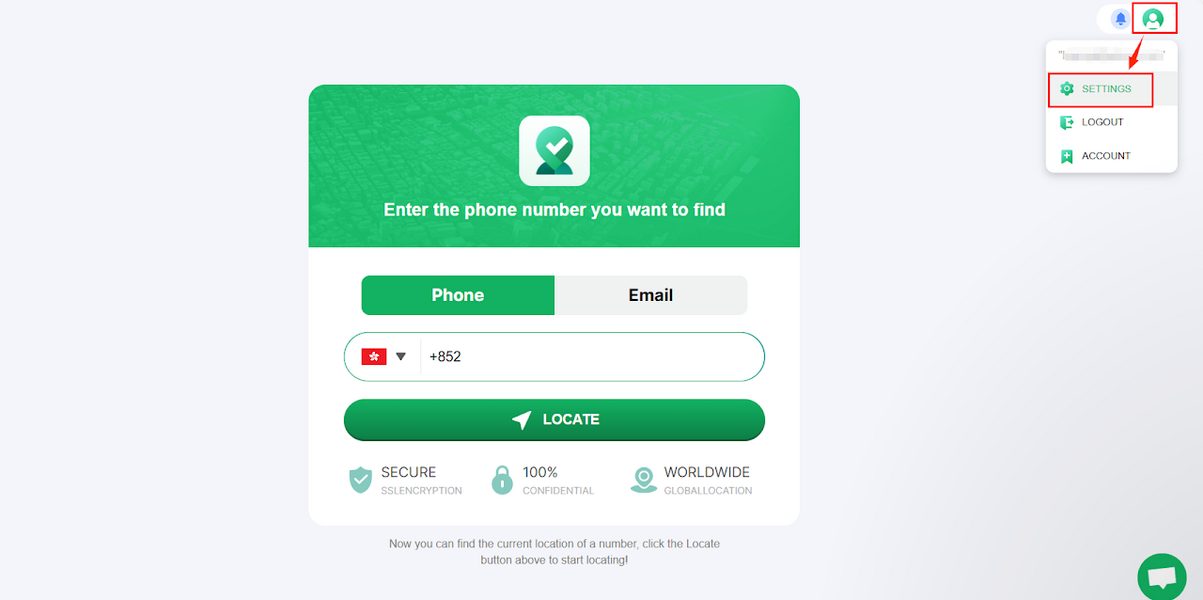
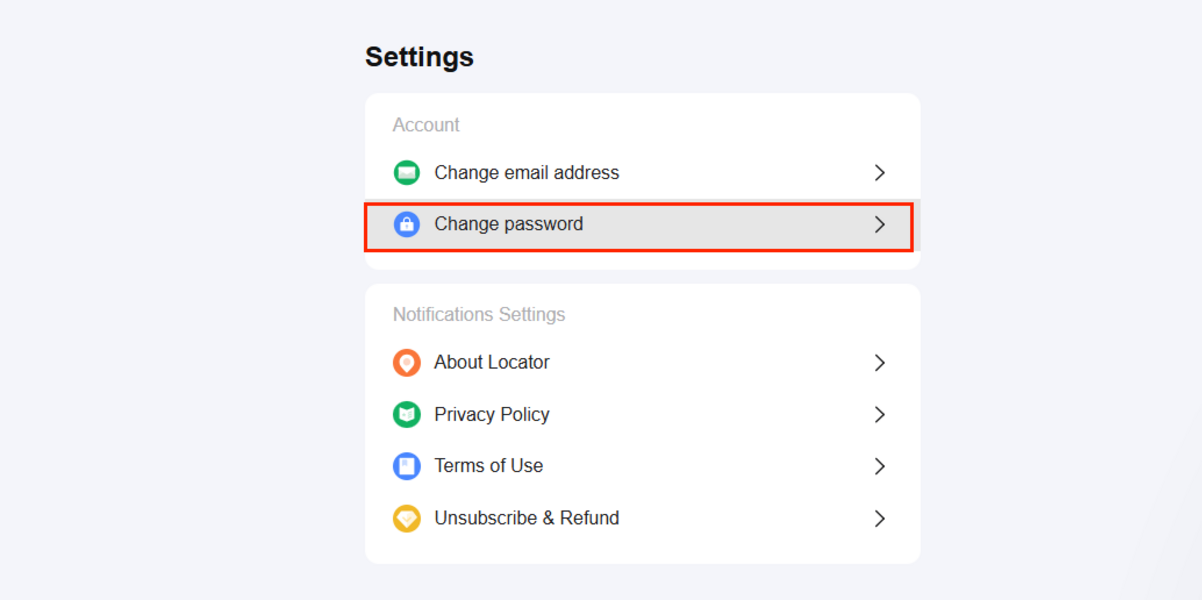
Post-login:
Click on the fifth icon to enter the settings page - "Change password"
If you reset the password without success, please contact us via [email protected] with your account and the new password, and we will ask our tech team for help.
