FAQ About Dupi Cleaner

How do I use the other image tools?
Go to the Tool page. It contains four types of image extraction, conversion, and editing tools:
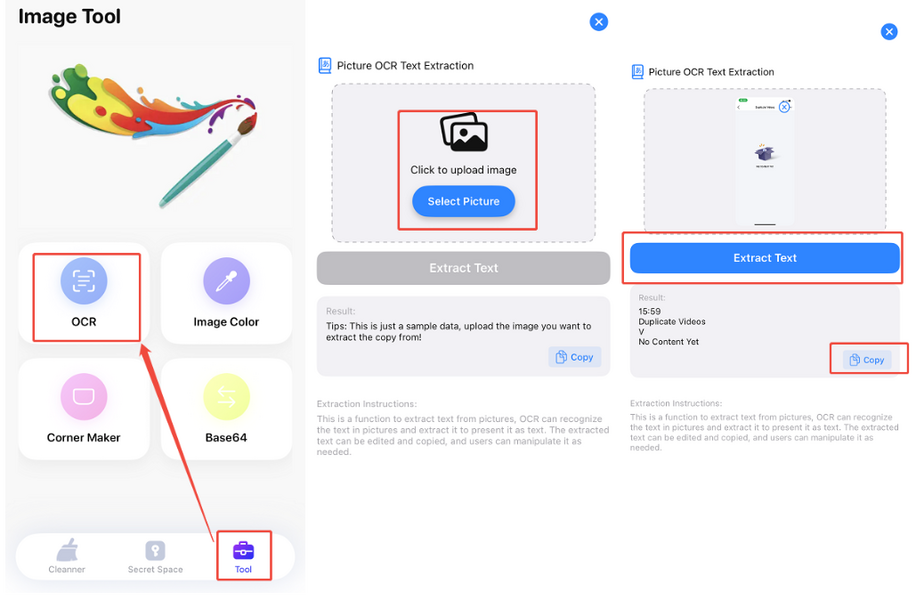
OCR Text Extraction — turn text in images into editable text:
1. Tap Tool → OCR.
2. Upload an image.
3. Tap Extract.
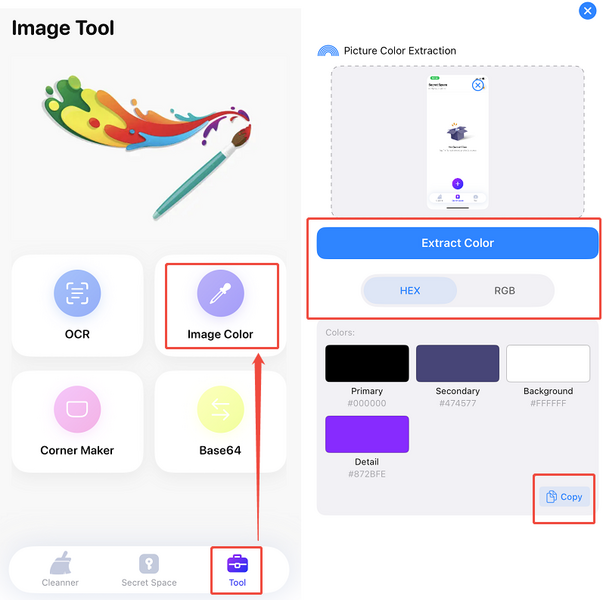
Dominant Color Extraction — pull out the main colors of an image, useful for design:
1. Tap Tool → Image Color.
2. Upload an image.
3. Tap Extract.
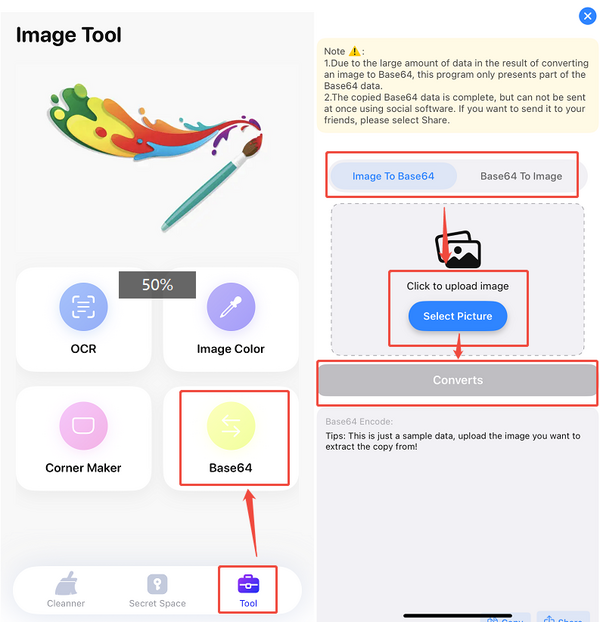
Base64 Converter — convert images to Base64 encoding and back:
1. Tap Tool → Base64.
2. Choose Image to Base64 or Base64 to Image.
3. Upload an image.
4. Tap Convert.
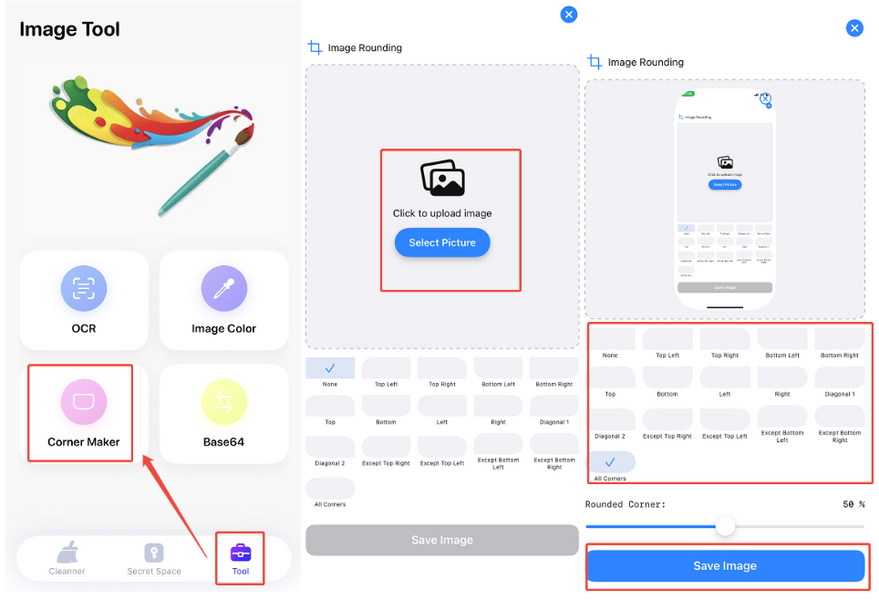
Custom Rounded Corners — add rounded corners with adjustable radius and angle:
1. Tap Tool → Corner Maker.
2. Upload an image.
3. Select the corners you want to round.
4. Tap Save.