
FAQ About Localizer

How do I get a refund?
⚠️ Important – If you have an open dispute or chargeback
An open dispute will freeze your account and block the refund and cancellation from going through.
If you have one, please cancel it before requesting a refund or cancellation — so our system can process both successfully.
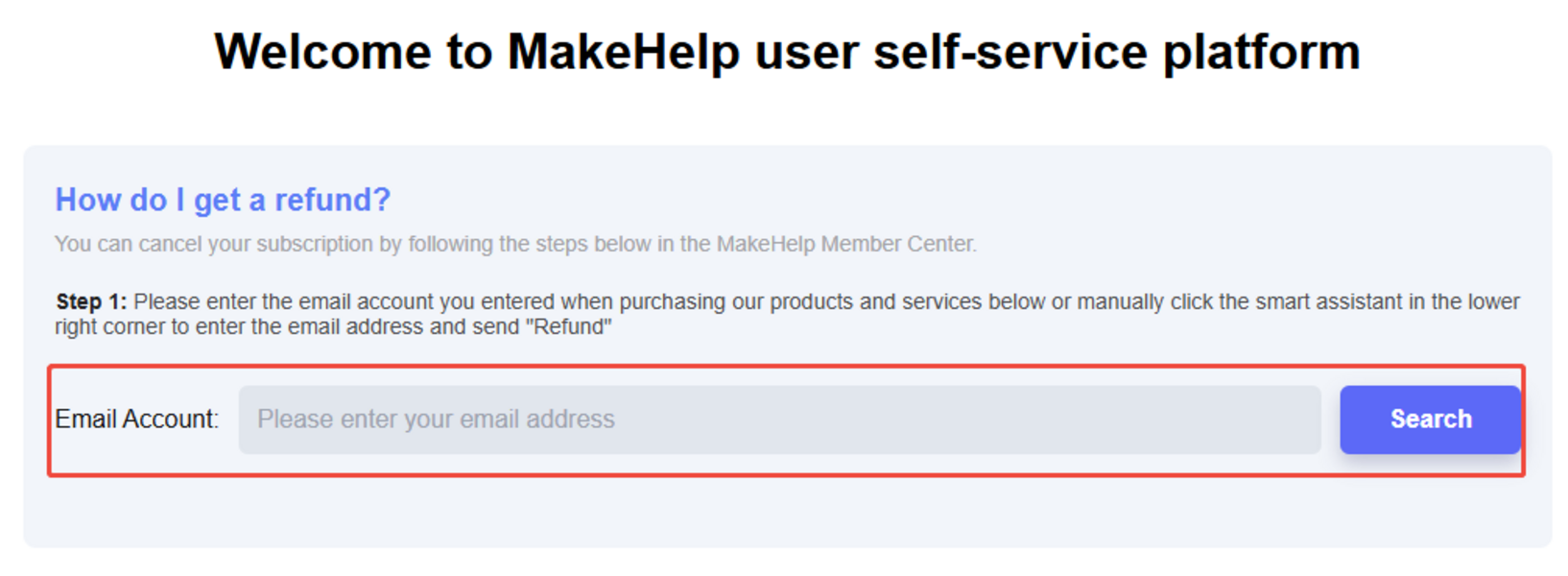
You can submit a refund request through our self-service portal:
- Visit: https://www.makehelp.net/refund
- Enter your registered Localizer email address.
- Select "Refund", obtain your verification code, and follow the on-screen prompts to complete your request.
Important reminder 💡
After your refund is processed, please remember to cancel your subscription to avoid future charges.
You can cancel in two ways:
- Method 1 (Recommended): Return to the MakeHelp refund link above and follow the cancellation prompts: MakeHelp
- Method 2: Cancel directly in your Localizer account:
- Log in to your Localizer account.
- Go to the bottom right of the page → click the last icon → Account → Billing → Cancel Subscription.
Need help?
If your refund or cancellation fails, please contact us at: [email protected]
Please include your registered email and order details for faster assistance.
Our service Time: Mon-Fri, 9:30 AM - 6:30 PM (UTC+8)
