FAQ About Apex Cleaner

How do I convert image or video formats?
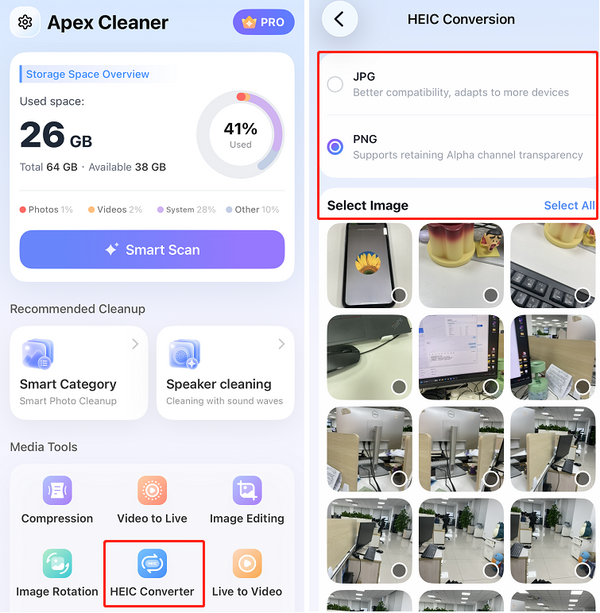
HEIC Converter — convert HEIC images to JPG or PNG:
1. Select HEIC Converter.
2. Choose the output format: JPG or PNG.
3. Select the images you want to convert.
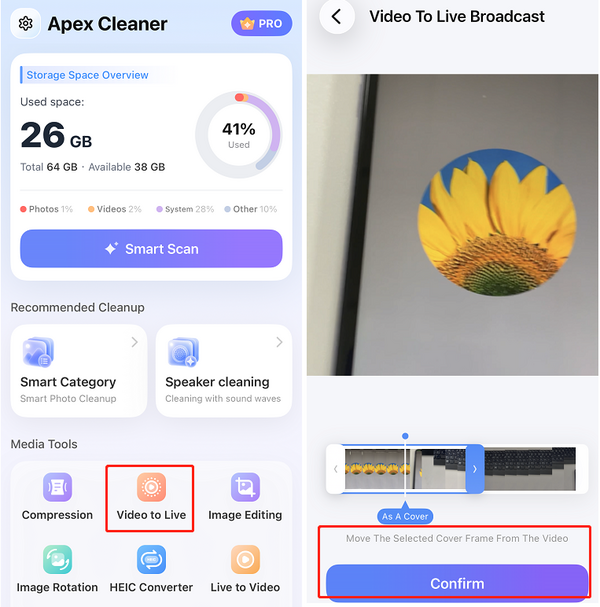
Video to Live — turn a video into a Live Photo:
1. Select Video to Live.
2. Choose the video you want to convert.
3. Pick the frame to use as the cover image.
4. Tap Convert.
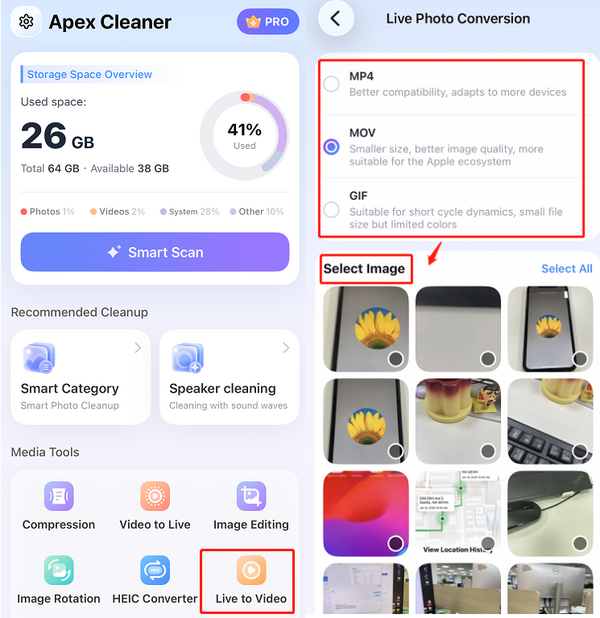
Live to Video — convert Live Photos into MP4, MOV, or GIF:
1. Select Live to Video.
2. Choose the output format: MP4, MOV, or GIF.
3. Select the Live Photos you want to convert.