
FAQ About LoveTrackers

How to View History Routes?
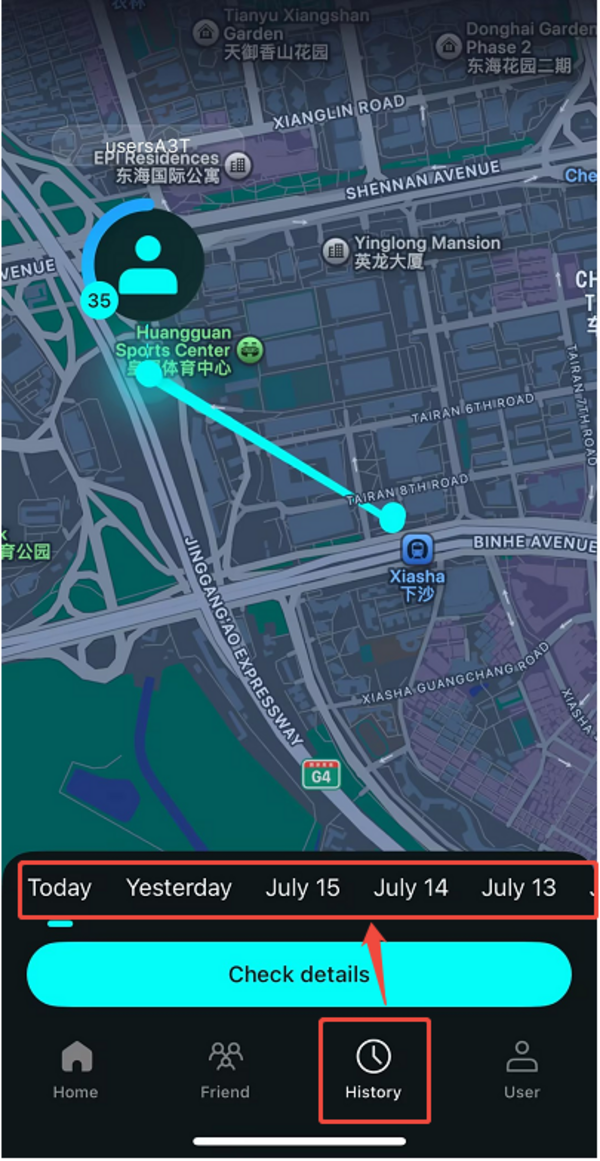
You can review your own location history, as well as the locations your friends shared with you during the time they had sharing enabled.
Steps:
1. Tap the History icon (third from the left at the bottom of the screen).
2. Swipe or scroll to select the date you want to view.
3. Tap "Check Details" to see the location information for that day.
💡 Need More Help?
If you're still having trouble, feel free to reach out to us at [email protected] — we're happy to guide you through it.
Our working hours:
Mon – Fri, 9:30 AM – 6:30 PM (UTC+8)
We'll get back to you as soon as possible during business hours.
